Qwen, Claude and Mac Mini: A love (code?) story
If you have a MacMini, a $20 Claude subscription and you want to build insanely complex apps without spending MILLIONS of tokens AND also you like small animated orcas AND sometimes you **LOVE EDITING FILES NEXT TO THE A.I",
then you are going to love this.
As everyone, I got a Mac Mini hoping that I could run a Local Claude and do WHATEVER I WANT.
But, as everyone else, all I got was hallucinations (I mean, I was hallucinating thinking that this will work but I am referring to the Local LLM I was using).
So, I did what I know what to do best:
Build something
Why do I need a Local LLM?
Reason number one: You are a geek and you like technology.
Reason number two: You love privacy and you don't want to send data to another company
Reason number three: You want to try an LLM that does things that Claude cannot do, like this.
Now that we got this out of our system.
The setup
In case you are new to this and you have a Mac Mini, this is the setup you should be using. Try this and stop asking.
One Mac mini (32GB). Qwen 3.6 35B-A3B running in LM Studio. A Python script I call LocalOrca that runs all night. The code is on GitHub.
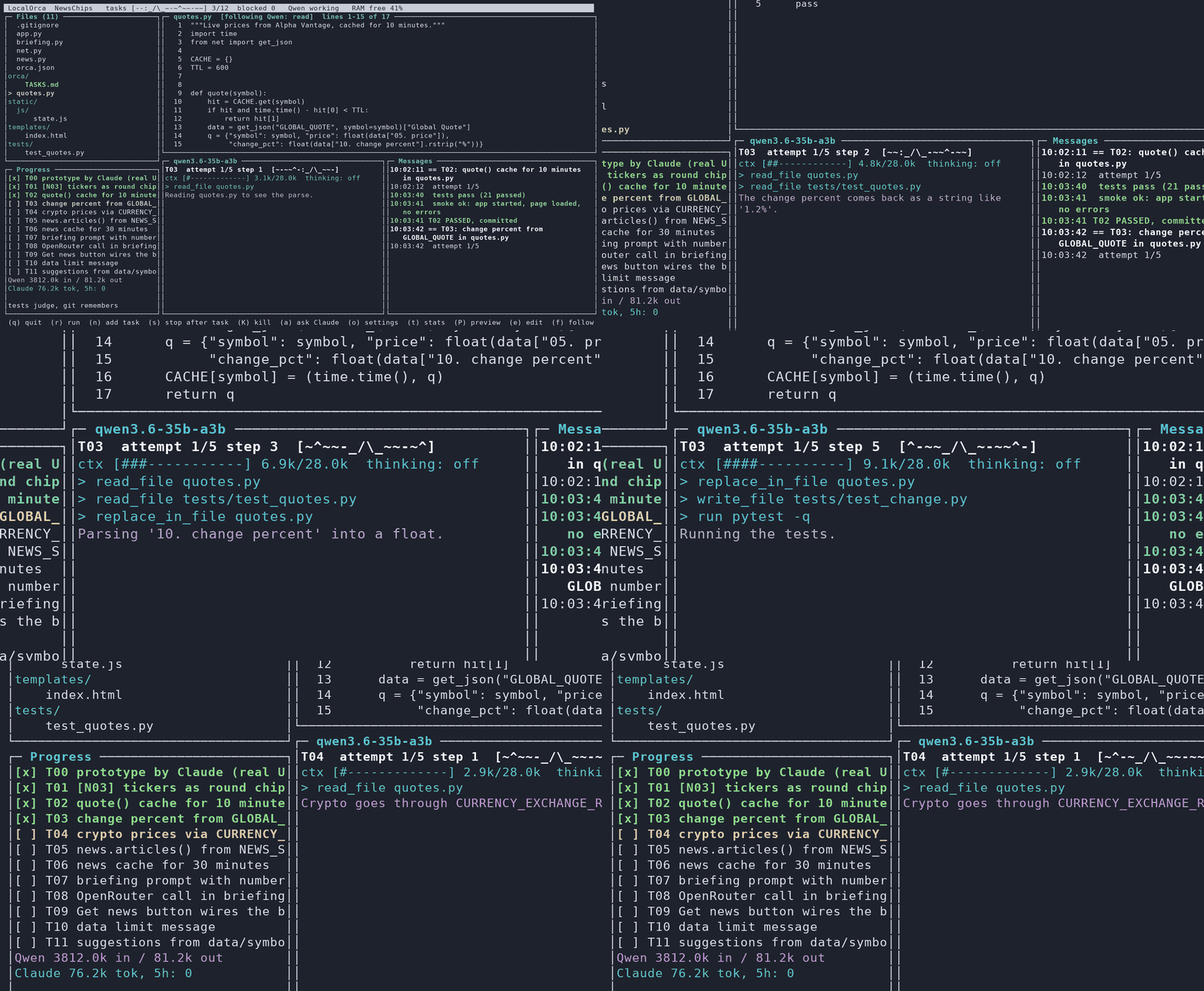
If something dooesn't make sense, ask Claude.
What is LocalOrca and how does it work
You have an idea (slow clap) - let's say a budgeting app (slow clap x2).
You go:
python orca.py new BudgetApp
and then LocalOrca asks you to describe what you want.
You type and type and type and then CLAUDE does a small interview to make sure you know what you are building (you don't).
Then, an EPIC UI starts and you can see Claude doing the first design. You can press (P) to do a live preview as it is getting build.
You can leave comments (I don't like this flow, I don't like this button) and after Claude is done and you say I love it, you do a hand-off to your LocalLLM.
The LocalLLM has a huge list of tasks from Claude (you can also add more tasks at any time). And you can live edit any file while your LocalLLM is building.
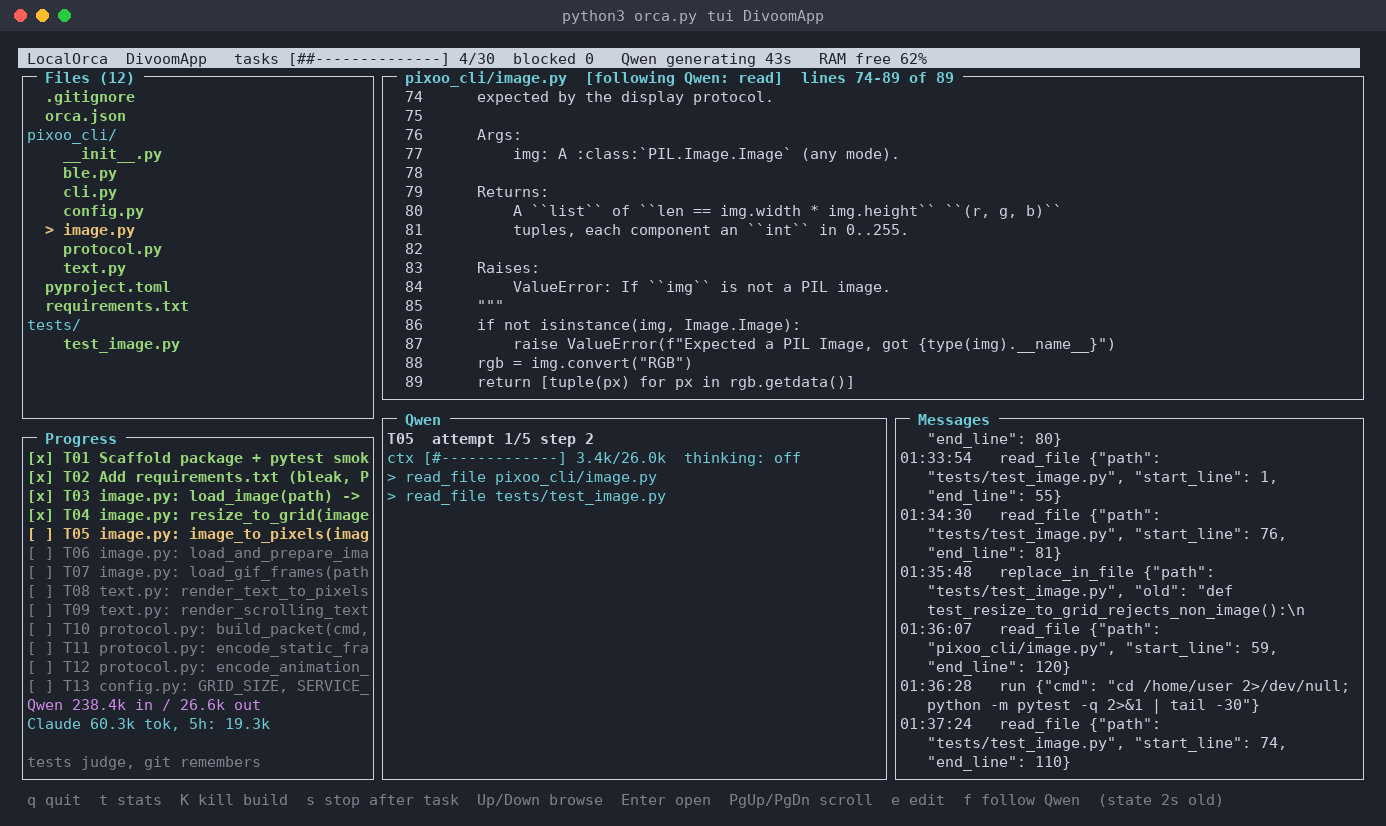
And that's it (actually it is a little bit more complicated to read the full technical article at the LastMachine).
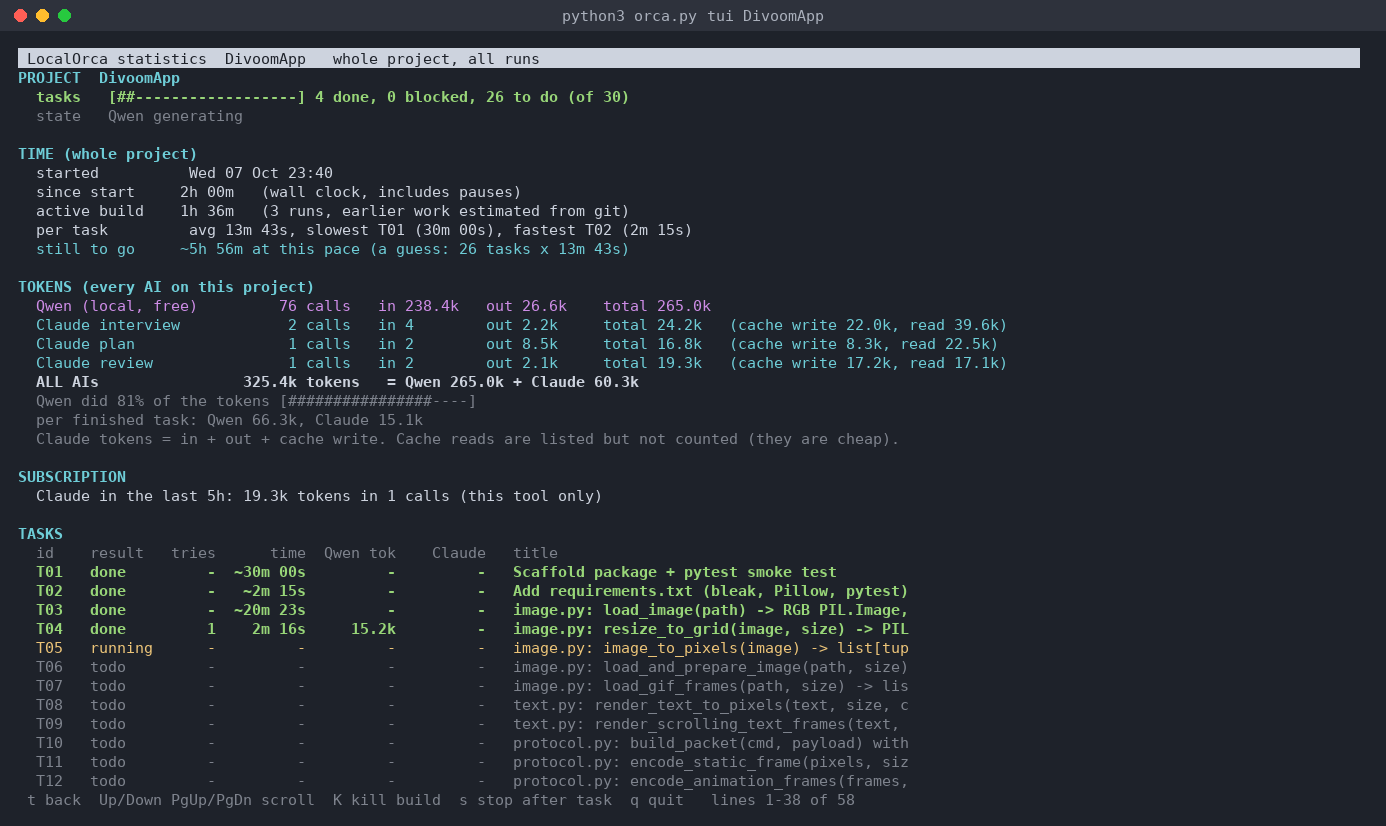
Oh, and remember the MILLIONS of tokens? Press (t) and you see exactly who burned what. Qwen did 81% of the tokens. Claude did the thinking.
Grab it: github.com/jonromero/localorca. Clone it, run python3 orca.py new ~/proj/myapp "your idea", and watch (and have fun!).
- Wed 21 October 2026
Loved it?
Get weekly tips in your inbox.
A book about Startups
I was sitting having coffee and then I got the urge to write "another book".
But this time it is about something I know super super super well:
Humiliating Entrepreneurs
About the Book
This is not a normal book. By far.
It might be a book about how to build …
My A.I dreams at night
Every night, around 10am, my A.I goes to sleep and starts dreaming.
Why?
Glad you asked.
Why we dream?
Going to sleep, forces our brain to restructure information, distill new skills we learnt - or at least that's what I read in this book (it's pretty epic btw).
So I …
New stories every week in your inbox!
No boring ordinary stories.